Download orDrumbox for Windows
orDrumbox for Windows is a native version of orDrumbox-v2, written in Rust and
distributed as a single program, ordrumbox.exe, that runs without a browser. It has the
same concepts as the web version (patterns, tracks, notes, drumkits, synthesizer, songs) with its own
interface. This page gives the download, the first run, and the differences between the two
versions.
orDrumbox 0.1.0 for Windows
- Version
- 0.1.0, released on 4 November 2026
- System
- Windows, 64-bit (x64)
- File
ordrumbox-v0.1.0-windows-x64.zip, 5.6 MB- Installation
- None: extract the ZIP file and run
ordrumbox.exe - License
- MIT, free of charge
- SHA-256
f274961f339f086400cb2529bc8e4bf036d17376856b63da8a1a32b8ae5d9483
The file is hosted on GitHub; no GitHub account is needed. Other versions, when published, are listed on the Releases page.
Installing and Running
- Download the ZIP file above.
- Extract the whole ZIP file to a folder of your choice. It contains
ordrumbox.exe, theassetsfolder (kits and their samples, demo patterns, synth presets, scales, styles) and theLICENSEfile. The program reads theassetsfolder next to it: keep the two together. - Run
ordrumbox.exe. It opens with the demo patterns.
The executable is not code-signed. On the first run, Windows SmartScreen may show “Windows protected your PC”: click More info, then Run anyway. To check that the file is the one published, compare its SHA-256 with the value above, for example in PowerShell:
Get-FileHash .\ordrumbox-v0.1.0-windows-x64.zip -Algorithm SHA256The keyboard shortcuts are listed in the program with F1 (Help › Keyboard shortcuts). Help › About shows the version and the folders in use.
User Manual
The orDrumbox for Windows user manual describes the window, the menus, each editor and panel, generation and styles, files, keyboard shortcuts and MCP, with screenshots. It is specific to the Windows version; the user guide describes the web version.
-
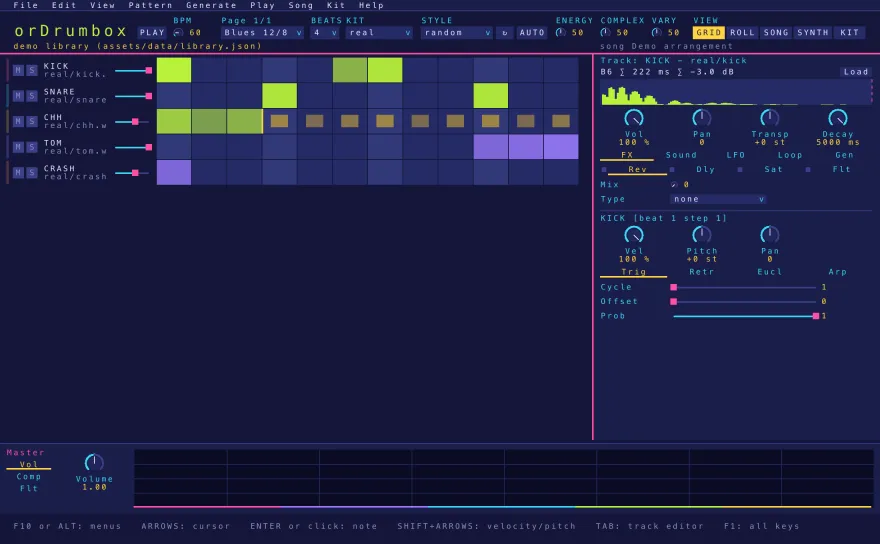
The window -
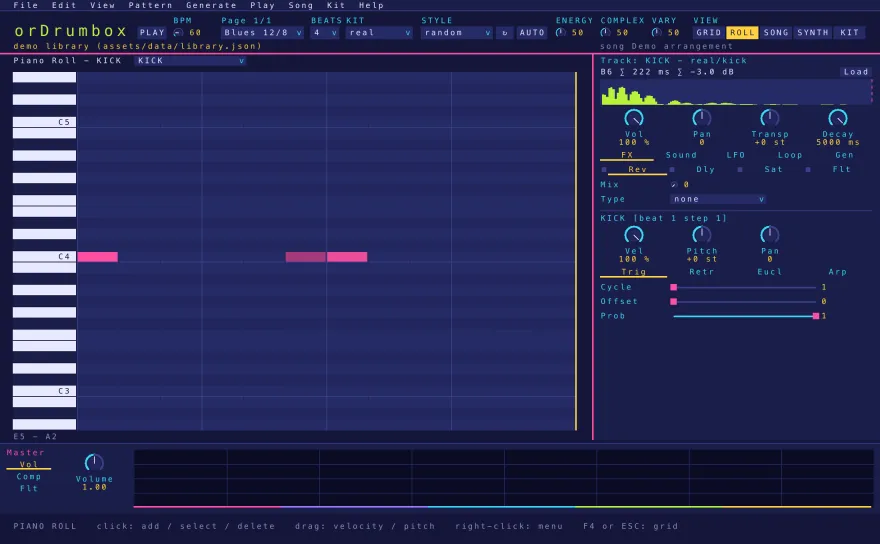
Piano roll -
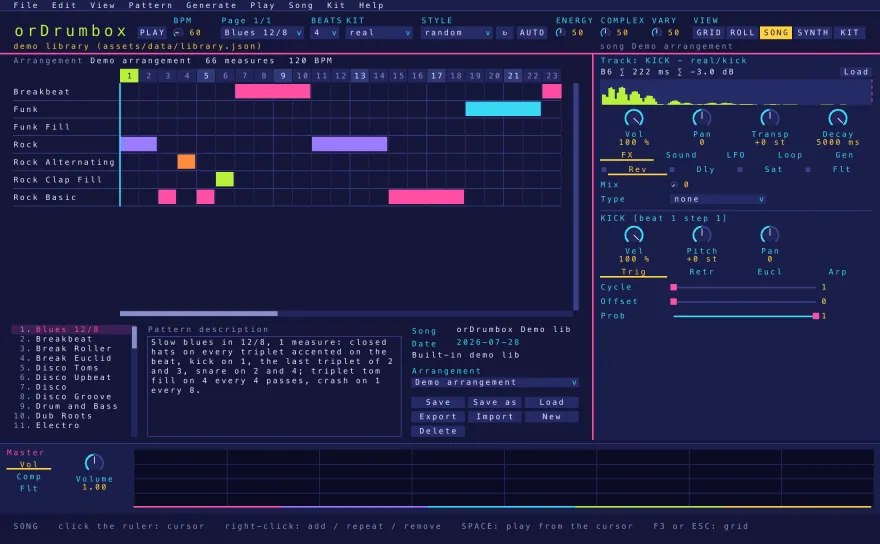
Song panel -
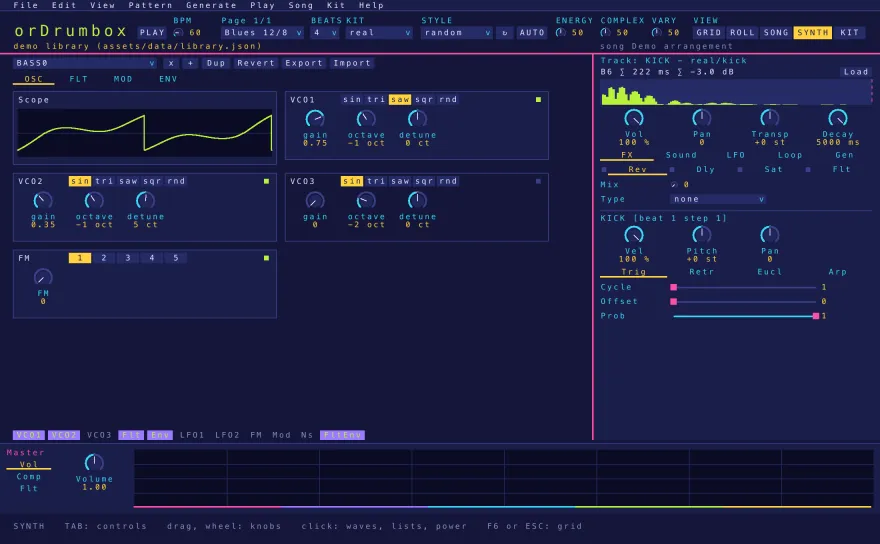
Synth editor -
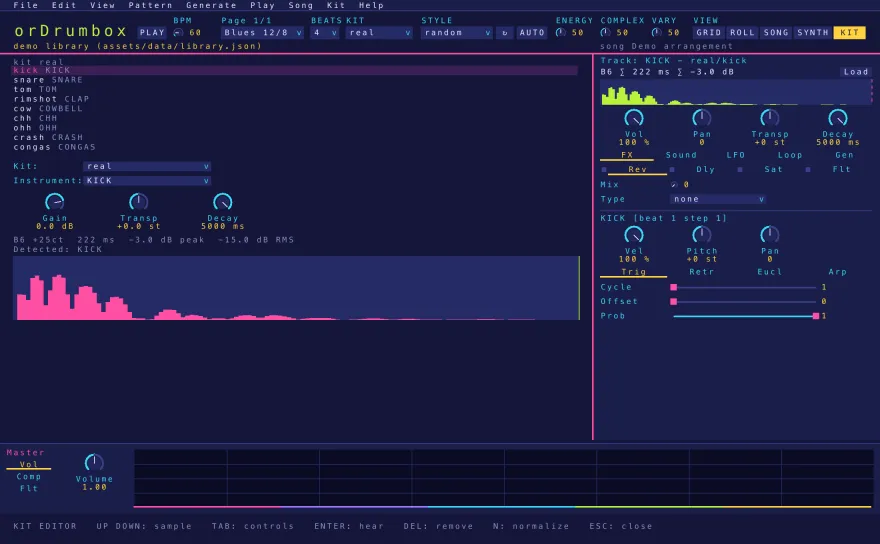
Kit editor
Where Your Work Is Saved
Everything is saved in files, in the folder %APPDATA%\orDrumbox:
| File or folder | Content | Saved |
|---|---|---|
library.json | The patterns and arrangements being edited | One second after each edit, and on quit |
kits.json | The kits and their settings (gain, transpose, decay) | After each kit edit |
samples\ | Audio of samples added, replaced or normalized (32-bit float WAV) | After each kit edit |
songs\*.odbox | Songs (patterns, arrangements, selection) | With Save in the song panel |
settings.json | Colour scheme, master settings, update check | When a setting changes |
Deleting library.json starts again from the demo patterns; deleting
kits.json starts again from the kits of the assets folder. WAV and MIDI
exports go to a folder chosen at each export.
Updates
At start, at most once a day, the program asks GitHub for the latest release (with the
curl command included in Windows 10 and later; the request carries only the program's
name and version). When a newer version exists, it is shown in the status line and
Help › Download orDrumbox … opens its page. The program downloads and installs
nothing by itself. Help › Check for updates checks immediately. The check at
start is turned off with "check": false under updates in
settings.json.
To update, download the new ZIP file and replace the program folder. Your work, in
%APPDATA%\orDrumbox, is kept.
Use With AI Clients (MCP)
The Windows version includes a Model Context Protocol (MCP) server. An MCP client (Claude Desktop,
Claude Code, Cursor, …) starts ordrumbox.exe --mcp, which passes each tool call to the
open window: the edit is shown at once, is one step of Edit › Undo and is saved
with the library. The connection stays on the computer (127.0.0.1, with a token). In
the client's settings, with the path to the program:
{ "mcpServers": { "ordrumbox": { "command": "C:\\path\\to\\ordrumbox.exe", "args": ["--mcp"] } } }When the window is closed, a call answers that orDrumbox is not running.
Differences With the Web Version
| orDrumbox-v2 (web) | orDrumbox for Windows | |
|---|---|---|
| Systems | Any modern browser with Web Audio API support (Windows, macOS, Linux, ChromeOS, Android, iOS) | Windows, 64-bit (x64) |
| Installation | None; optional PWA install from the browser | None; extract the ZIP file and run ordrumbox.exe |
| Version | 2.0.0 | 0.1.0 |
| Technology | JavaScript, Web Audio API | Rust, native audio output |
| Where work is saved | In the browser (IndexedDB) | In files, in %APPDATA%\orDrumbox |
| Drumkit edits | Lost when the page is reloaded, unless the kit is exported | Saved with the kits |
| Sample import | WAV, FLAC, MP3, AAC | WAV |
| Automatic generation | Drum, Bass and Chords buttons, per-track Auto and Variation | The same, plus 14 styles (techno, house, drum & bass, hip-hop, rock, funk, disco, reggae, swing jazz, bossa nova, samba, salsa, afrobeat, trap), styles learned from tagged patterns, and Energy, Complexity and Variation settings for the whole pattern |
| Song arrangements | Patterns of a song, saved and exported together | Song panel: patterns placed measure by measure, by drag and drop; arrangements added, reordered and removed |
| Filter slope | 12 dB/octave | 12 or 24 dB/octave |
| WAV export | The current pattern, 1–32 loops | The pattern or the whole song (16-bit, 44.1 kHz) |
| MIDI files | Import and export | Import and export |
| MIDI devices | MIDI output and external MIDI clock, in browsers that support Web MIDI | Not supported |
| MCP (AI clients) | Separate server, from a local copy of the source code, with Node.js | Built in: ordrumbox.exe --mcp |
| Interface | Toolbar and panels, adapted to mobile screens | Menu bar, fixed layout (main editor, track editor, output panel), keyboard shortcuts for most commands, 5 colour schemes |
| Network access | Loads the application from ordrumbox.com | Checks GitHub at most once a day for a newer release (can be turned off) |
Files: the Windows version reads the files of the web version (patterns, songs, drumkits). The files it writes use new setting names and some new settings, which the web version does not recognize: those settings are lost when such a file is opened in the web version.
The user guide, the FAQ and the tutorial describe the web version, which runs at ordrumbox.com/app. The Windows version is described in its user manual.
Removing the Program
The program installs nothing: delete its folder. Your work is kept in
%APPDATA%\orDrumbox; delete that folder too to remove it.
Source Code
The source code and the build steps are public in the ordrumbox-v2-r repository on GitHub, under the MIT license. Each release is built by GitHub Actions from the commit tagged with its version.